File storage for your agent, or an assistant that reads your files?
Agent file storage is a place for an agent to keep the files it makes: reports, scratch work, files it hands to another agent or to you. It does not read the files you already have. If you want answers from your own Google Drive or OneDrive, you need the other thing: a tool you connect to your Drive, with your permission, that shows the file and passage behind each answer. As of 14 October 2026, the word "drive" covers both.
Updated
What is a drive for AI agents?
It is storage built for programs, not for people clicking through folders. Blaxel describes its Agent Drive as "A distributed filesystem for trillions of files" that lets agents "store and share files across sessions concurrently", and lists it as a private preview. agentdrive.sh calls itself "The artifact workspace your agents share", says it is in "Private beta", and lists a free tier of 1 GB. Fast.io says you can "Connect your agents over MCP, keep the files they work on in one place, and share the results with your team", from $9.99 a month. All checked on 14 October 2026.
What this kind of storage does well: agents write and read files through code, each agent gets its own space so they do not overwrite each other, and the results can pass to the next agent or to a person. One warning: at least three different products use the name AgentDrive, so read the company's own page before you sign up. The same split exists for email, covered in an inbox for your agent, or an assistant in your inbox.
How is that different from a tool that reads your Drive?
Ask whose files they are. Agent storage holds new files that an agent makes. A reading tool works on files you already own, where they already live, through a permission you grant on Google's or Microsoft's own screen.
Google itself offers the reading kind for developers: its Drive MCP server, a Developer Preview whose page was updated on 9 October 2026, gives a program tools such as search_files and read_file_content.
Which one do you need?
If you are building an agent that writes reports and passes files along, you need agent storage: access through code, a space per agent, and a way to share results.
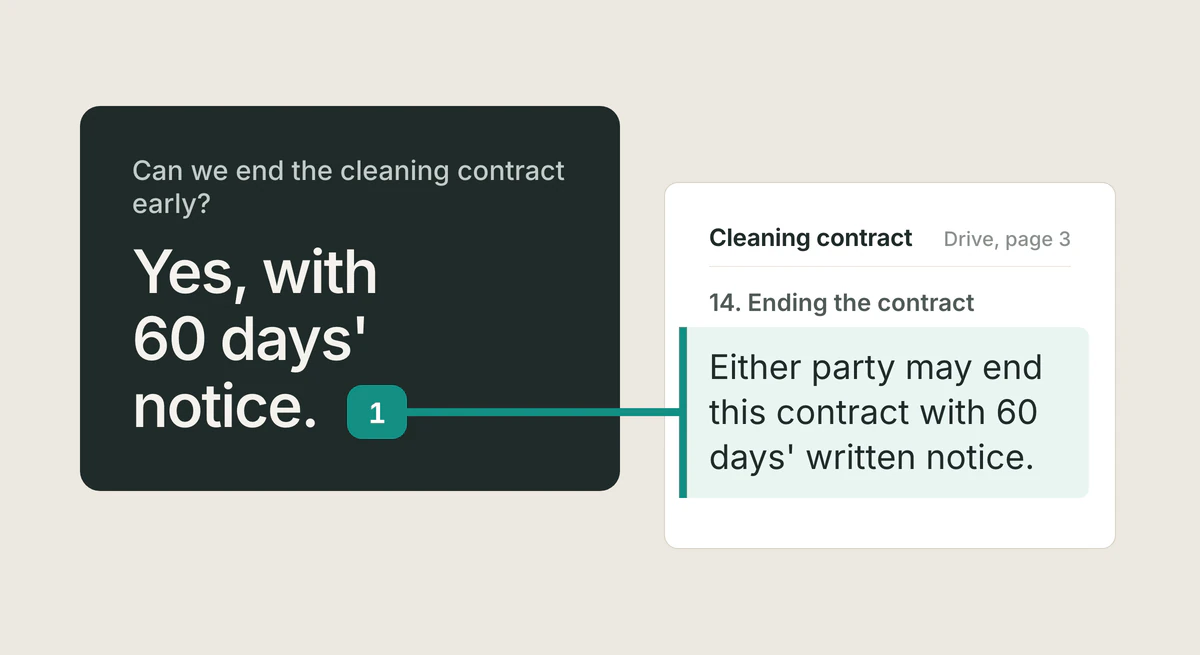
If your contracts, notes and records sit in Google Drive or OneDrive and you want answers you can check, you need a tool connected to your Drive. Ask it "Can we end the cleaning contract early?" and a good answer says "Yes, with 60 days' notice", then opens the contract at the clause: "Either party may end this contract with 60 days' written notice."
If you need both, keep them apart. One is the agent's workbench; the other reads your own files. Mixing them leaves copies of your documents in places you will forget to check.
What permission does reading your Drive take?
Google's Drive permissions page (updated 3 September 2026) lists two you will meet. drive.file is non-sensitive: it covers files "that you open with an app or that the user shares with an app". drive.readonly is restricted: "View and download all your Drive files." Google tells developers to prefer the narrower one when it is enough, and an app that reaches restricted data through its own servers must go through a security assessment every year, with some exceptions.
The choice sets how far a mistake can reach. Whole-Drive reading is what makes "search all my files" work, and it also puts every file within reach. A careful tool reads only what the question needs, names what it used, and asks before it deletes anything.
How do you check an answer that came from your Drive?
A good answer names the file and shows the passage. You click, the document opens at that spot, and the words are marked. If a tool only says the answer came from your Drive, with nothing to open, treat the answer as a draft and check the file yourself.
There is a second reason to check. A file you did not write can contain text placed there to mislead a program. Google's Drive MCP page warns: "When you expose a language model to untrusted data, there is a risk of an indirect prompt injection attack." OWASP ranks prompt injection first among risks for applications built on language models (2025 list). Opening the cited passage is the simple check; more in citations you can open.
Where does Tatsulok fit?
Tatsulok works on your own files, where they already live. You connect Google Drive or OneDrive under Extensions, on the Drives card; the connection is in Beta, and Google shows its unverified-app screen first, where you choose Advanced to continue. Tatsu searches, lists and reads your files and cites the ones it used. You can bring a file or a folder (up to 200 files per run) into your Tatsulok library; there, a citation opens the document at the page with the passage highlighted. Tatsu can also create files and folders, and it moves a file to the trash only after you confirm.
Said plainly: Tatsulok asks Google for drive.readonly and drive.file, so it can read your whole Drive and change only files it creates with you. For OneDrive it asks Microsoft for Files.ReadWrite. You can disconnect in Extensions at any time; for Microsoft, also remove Tatsulok in your Microsoft account, because Microsoft does not let an app withdraw its own permission.
Tatsulok is not a drive for agents. It keeps no storage for agents' output and offers no API for programs you build; for that, use one of the products above. To connect your files, see how to let an assistant answer from your Google Drive.
FAQ
- What is agent file storage?
- Storage built for programs. An agent saves its reports and scratch files through code, each agent gets its own space, and files can pass to another agent or a person. It does not read the Drive you already use.
- Can an AI agent read my Google Drive?
- Only through a connection you approve. You sign in with your Google account, and Google shows the permissions the app asks for before you allow it. Without that grant, the agent cannot reach your files.
- Is it safe to give an assistant access to my whole Drive?
- It is a large grant: drive.readonly lets an app "View and download all your Drive files." Google requires apps that reach it through their own servers to go through a security assessment every year, with some exceptions. Decide on purpose, check what the tool cites, and disconnect when you stop using it.
- Can I limit an assistant to one folder?
- Not through Google's permission screen. The narrow permission, drive.file, covers files you open or share with the app; the wide one covers the whole Drive. Some tools add their own folder limits on top.
- Does Tatsulok offer storage for my agent?
- No. Tatsulok reads your own Google Drive or OneDrive (Beta), answers with sources you can open, and brings files into your library. It has no storage or API for agents you build.
Sources
- Blaxel: Agent Drive (private preview)
- agentdrive.sh
- Fast.io: storage for AI agents
- Google for Developers: configure the Google Drive MCP server (updated 9 October 2026)
- Google for Developers: choose Google Drive API scopes (updated 3 September 2026)
- Google for Developers: restricted scope verification (updated 19 August 2026)
- OWASP GenAI Security Project: LLM01:2025 Prompt Injection
- Tatsulok privacy policy: Google and Microsoft account data
Related guides
Email for AI agents
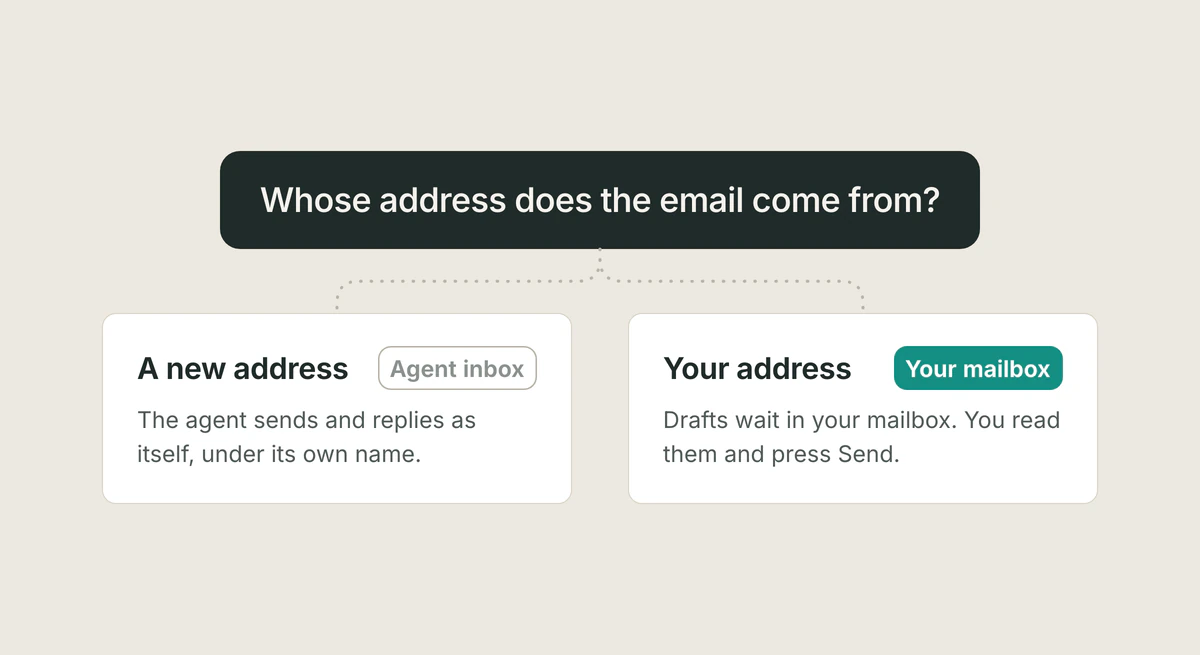
If an agent must send and receive mail as itself, give it its own inbox. If you want help with your own mail, use a tool that drafts in your mailbox and leaves Send to you. Where MCP servers fit, checked 14 October 2026.
Read the article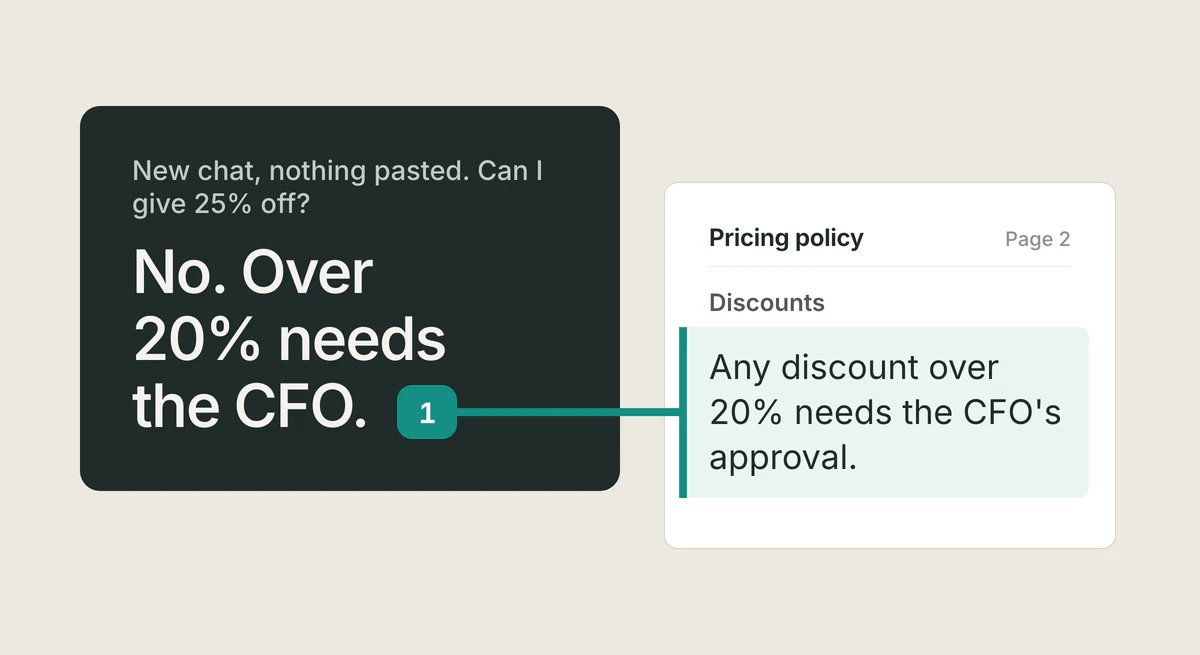
Give AI the right context
Each new chat starts blank, so you paste the same background again. Keep your documents in one place, ask once, and open the line the answer came from.
Read the article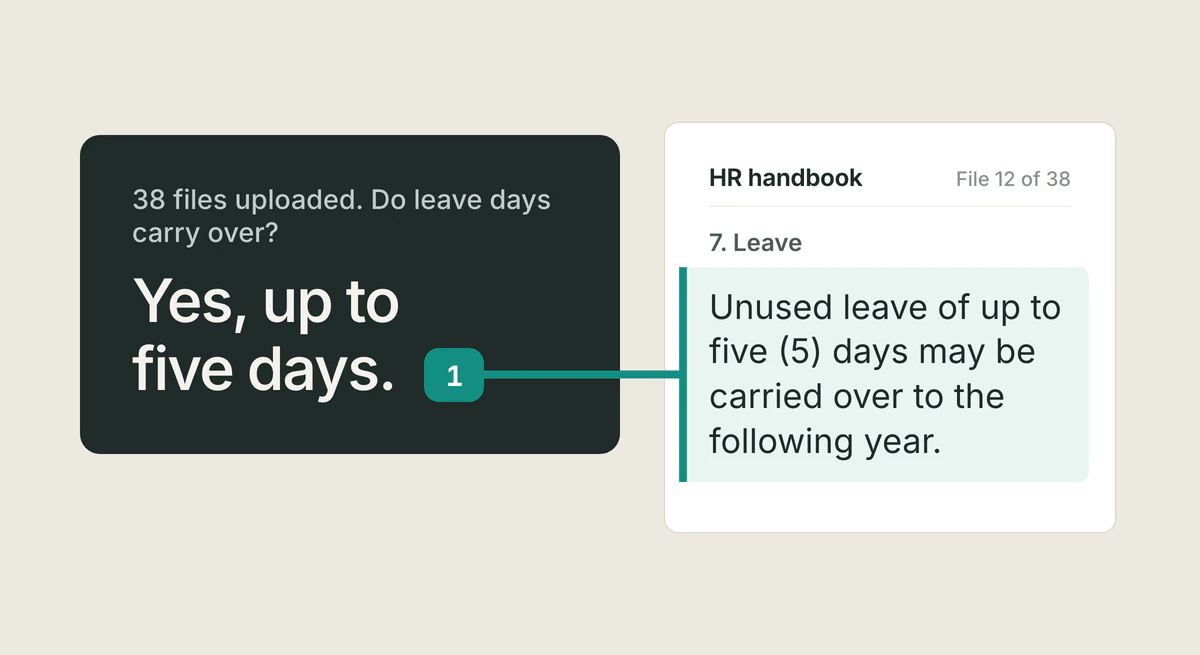
Knowledge base from documents
A step-by-step guide to turning a folder of documents into an AI knowledge base: gather, upload, ask, and verify. No tagging, schema, or code required.
Read the article