How to turn your documents into an AI knowledge base
To turn your documents into an AI knowledge base, you upload them to a tool that indexes their meaning, then ask questions in plain language and get cited answers drawn from those files. The practical steps are short: gather your documents, upload them, ask a real question, and check the citations. A good tool does the indexing, retrieval, and citation for you, with no setup.
Updated
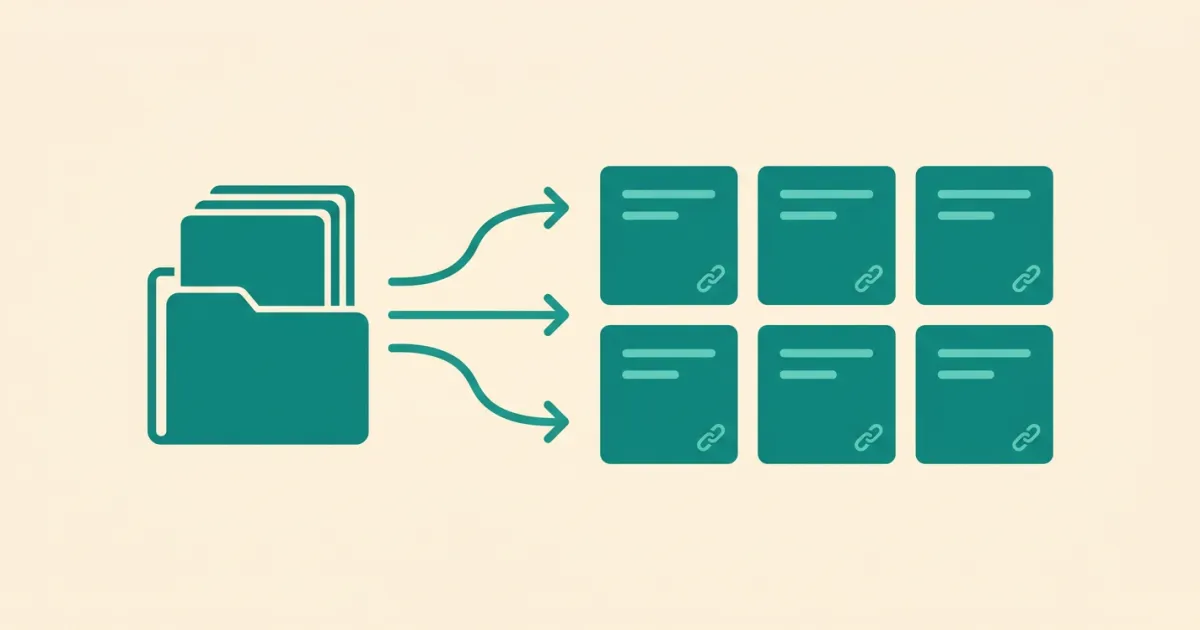
What you need to build an AI knowledge base from documents
You need three things, and only one of them is work:
• Your documents: PDFs, Word files, notes, spreadsheets, slide decks, whatever holds your team's knowledge. This is the only part you supply. • A retrieval layer: software that splits documents into passages and indexes them by meaning. Modern tools do this automatically on upload. • A question: the moment your documents are indexed, you ask in plain language and get an answer.
You do not need to clean, tag, or restructure your documents first. Retrieval works on the text as it is.
Step by step: from a folder of files to answers
The process is short:
• Step 1, gather: collect the documents that hold the answers your team keeps asking for, the policies, specs, contracts, and notes. • Step 2, upload: add them to your knowledge base tool. It splits each document into passages and converts them into vector embeddings automatically. • Step 3, ask: type a question the way you would ask a colleague. The tool retrieves the most relevant passages and writes a direct answer. • Step 4, verify: follow the citation on each answer back to the source passage to confirm it.
That is the whole loop. There is no schema to design and no code to write. What you are building is an AI knowledge base, and the check at the end is the same one on answers you can open.
Why not just paste documents into ChatGPT?
Pasting documents into a general chatbot works for one short file, but it breaks down as a knowledge base for three reasons:
• Context limits: you cannot paste hundreds of documents into a single prompt, and even when a model accepts long inputs, accuracy drops for facts buried in the middle of a long context. Researchers have documented this "lost in the middle" effect. • No citations: a pasted-in answer rarely tells you which document and which line it came from, so you cannot verify it. • No persistence or access control: every new chat starts from zero, and there is no way to control who can see which document.
A real AI knowledge base retrieves only the relevant passages per question, cites them, and persists across sessions and people.
The durable reason a curated base beats open search
The convenience argument for a knowledge base is that everything is in one place. The durable argument is about where the quality check happens.
Open-web retrieval ranks sources by relevance and extractability, not by whether they deserve belief, and content farms optimise for exactly that shape. Columbia's Tow Center measured the downstream result: AI search engines misattributed or fabricated sourcing on more than 60% of test queries, and even the best engine was wrong 37% of the time. The system cannot tell you whether where a claim came from is any good, because that is a question about the world rather than the text.
A knowledge base you assembled inverts this. You already decided these documents are worth trusting, once, at the moment you added them. Every later answer inherits that judgment instead of relitigating it. The source-quality check happens upstream, one time, rather than per answer, forever, which is why a smaller curated corpus routinely beats a larger uncurated one for work that carries your name.
This week's drill, no signup needed: look at the last five documents you would put in such a base and ask, for each, who wrote it and on what evidence. That thirty-second pass is the whole curation discipline.
How to keep your AI knowledge base trustworthy
A knowledge base is only useful if you can trust its answers. Three habits keep it reliable:
• Insist on citations: use a tool that links every answer to its source passage, so you verify rather than assume. • Keep it current: when a document changes, replace the old version so answers reflect the latest truth. • Respect access: make sure the knowledge base enforces who can read what, so answers never leak a restricted document.
Tatsulok applies all three by default: cited answers, per-item access control, and private storage that is never used to train external models.
FAQ
- How do I turn my documents into an AI knowledge base?
- Upload your documents to a tool that indexes them by meaning, then ask questions in plain language. The tool retrieves the relevant passages and writes a cited answer. With Tatsulok you upload files and start asking immediately, with no setup.
- What file types can become part of an AI knowledge base?
- Most knowledge base tools accept common document formats: PDFs, Word documents, text and Markdown notes, spreadsheets, and slide decks. Tatsulok ingests these and makes their contents answerable with citations.
- Do I need to organize or tag my documents first?
- No. Retrieval-augmented generation works on the text as it is, so you do not need to clean, tag, or restructure files before uploading. You can improve results over time, but you get useful cited answers from the raw documents on day one.
- Why is a knowledge base better than pasting files into a chatbot?
- A chatbot prompt has a size limit and accuracy drops for facts buried in long inputs, it rarely cites which document an answer came from, and it forgets everything between chats. A knowledge base retrieves only the relevant passages per question, cites them, and persists across sessions and team members.
- How many documents can an AI knowledge base hold?
- Because it retrieves only the most relevant passages per question rather than reading everything at once, an AI knowledge base scales to thousands of documents without losing accuracy. This is the core advantage over pasting files into a single chat prompt.
Sources
Related guides
AI knowledge base
An AI knowledge base turns your documents into plain-language, cited answers using semantic search and RAG. Learn how it works and what makes one trustworthy.
Read the article
Give AI the right context
Each new chat starts blank, so you paste the same background again. Keep your documents in one place, ask once, and open the line the answer came from.
Read the article
Context rot
Context rot is the accuracy drop language models suffer as input grows, long before the window fills. At 32,000 tokens, 11 of 13 models scored under half.
Read the article