How to chat with your documents privately, and trust every answer
Chatting with your documents means uploading your own files and asking questions in plain language, then getting an AI answer that points to the exact source it came from. With Tatsulok you do this privately: you upload your documents, ask a question, and read an answer cited to the specific source passage, with a highlighted preview and a link to the original. Your files are encrypted at rest and private by default, and the model providers that answer your questions commit to no training and to keeping none of your content afterwards.
Updated
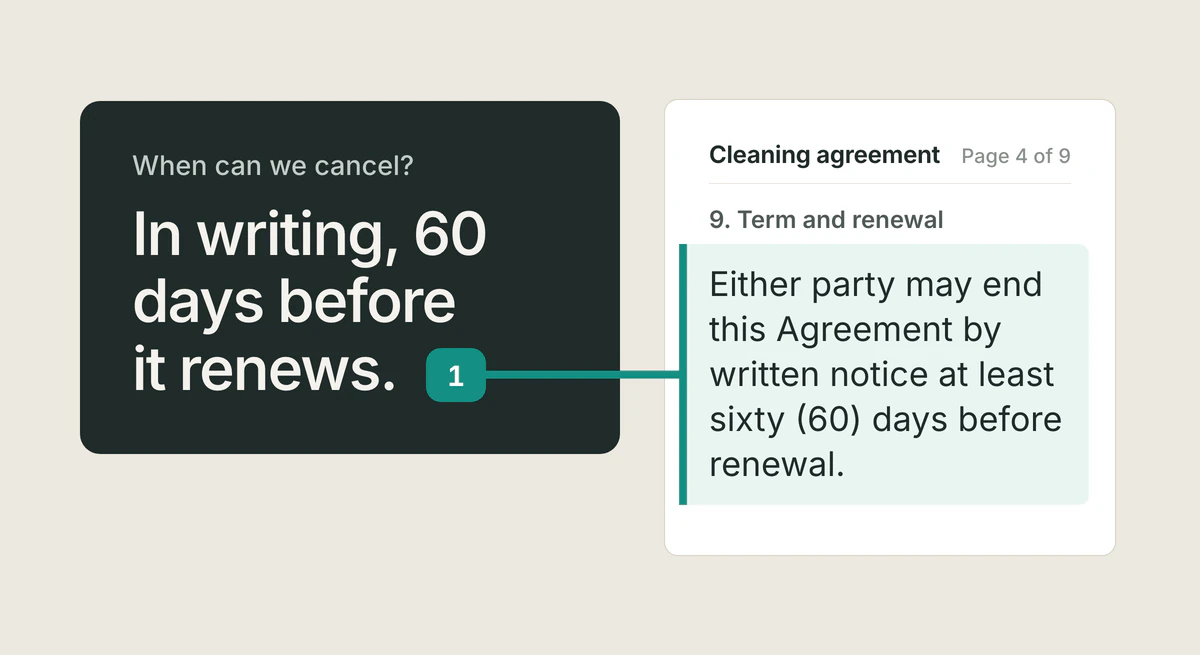
What does it mean to chat with your documents?
Chatting with your documents means you ask questions in ordinary language and an AI reads across the files you uploaded to answer them, instead of you opening each file and searching by keyword. You can ask things like "what were the renewal terms in this contract" or "summarize the risks across these three reports" and get a direct answer.
The difference between this and a general chatbot is the source. A general chatbot answers from its training data, which you cannot verify. Tatsulok answers questions about your files from those files, and shows you exactly where each part of the answer came from so you can check it yourself.
The cost of scattered information is real: a Harvard Business Review study found employees toggle between apps roughly 1,200 times a day, losing about four hours a week just reorienting after each switch.
How do you ask your documents questions and get cited answers?
You upload your documents, PDFs, Word files, spreadsheets, slides, and more, into a private knowledge base, then type a question the way you would ask a colleague. Tatsulok finds the relevant passages, reads them, and writes an answer that cites each source inline.
Every citation is verifiable. You can open the highlighted passage to see the exact text the answer relied on, and follow a link to the original document. Because the answer is grounded in your own files rather than generic web content, you can trust it for work where the source matters, legal, research, finance, compliance, and operations.
Why are cited AI answers more trustworthy?
Cited answers are more trustworthy because you can check them. When an AI states a fact without a source, you have to take it on faith; when it cites the exact passage, you can confirm the answer is correct and catch any misreading before you act on it.
Tatsulok is built around this principle. Instead of asking you to trust the model, it shows its work: every answer links back to the specific source in your documents, with the relevant text highlighted. Verification takes seconds, which is what makes the tool usable for high-stakes professional work.
How much does grounding actually help?
It is fair to ask for evidence rather than a promise, so here is the honest shape of it: grounding lowers the error rate a lot, and does not take it to zero.
Stanford's benchmark of leading grounded research tools measured hallucination rates of 17% and 33% across 202 expert-reviewed queries, against 43% for a general-purpose model asked the same kinds of questions. Working from your own documents is a large improvement over open-ended recall, which is the whole reason to do it. It is also not a guarantee, and the researchers noted that providers' accuracy claims were overstated.
That residue is exactly what the citation is for. The point of an answer that links to its source is not that the answer is certainly right; it is that checking whether it is right costs you seconds instead of an afternoon. Grounding narrows the problem, and the link closes it.
This week's drill, no signup needed: next time you get an answer from your own documents, pick the one claim you would act on and open its source. If the passage says what the answer said, you have spent ten seconds buying real confidence.
Can you keep your documents private when using AI?
Yes. Tatsulok is private by default: the model providers that answer your questions commit to no training and to keeping none of your content afterwards, your files are encrypted at rest, and you control who has access and when content is deleted.
Nothing is shared unless you choose to share it. You decide which teammates can see a document or knowledge base, and you can revoke access or delete content at any time. This is the difference between a tool you can use for confidential material and one you cannot.
FAQ
- What file types can I upload to chat with?
- Tatsulok supports common professional document formats, including PDFs, Word documents, spreadsheets, and presentation slides. You upload them into a private knowledge base and ask questions across all of them.
- Are my documents used to train the AI?
- No. Your workspace is never sent to training datasets, and the model providers that answer you commit to no training. Your files are encrypted at rest and private by default.
- How do I know the AI answer is accurate?
- Every answer cites the exact source it came from. You can open the highlighted passage and follow a link to the original document to verify the answer yourself.
- Can I control who sees my documents?
- Yes. Content is private by default. You decide which teammates can access each document or knowledge base, and you can revoke access or delete content at any time.
- Is Tatsulok available in Japanese?
- Yes. Tatsulok works in English and Japanese. You can upload documents and ask questions in either language.
Sources
Related guides
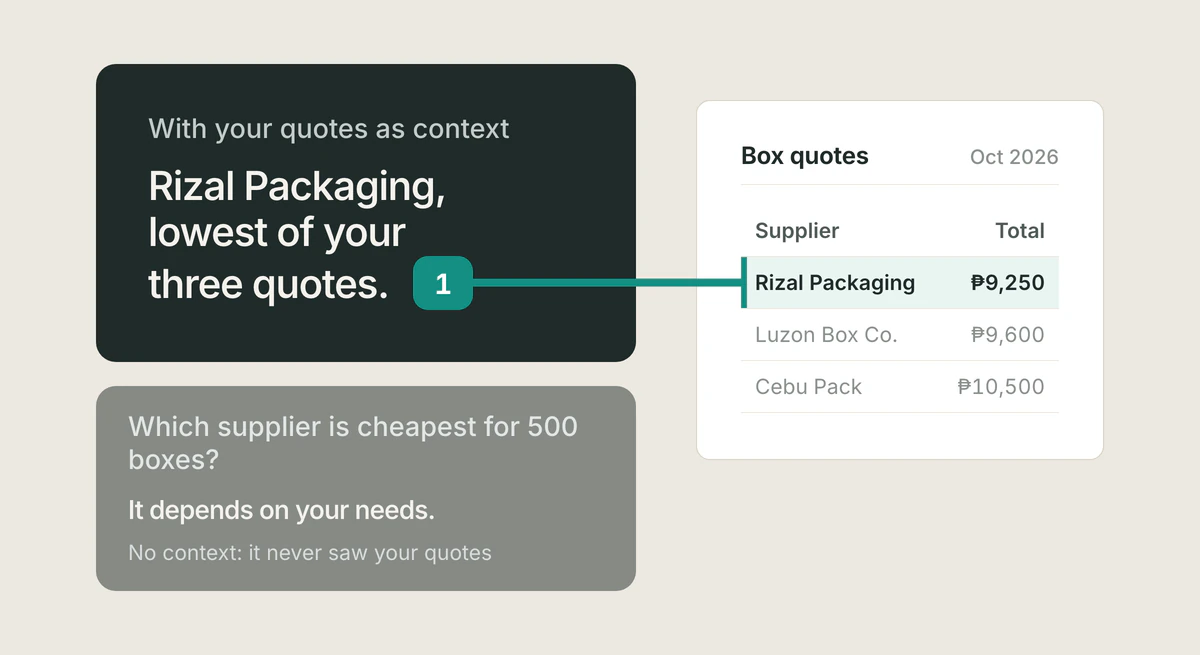
What is AI context
AI context is the background information, your documents, history, and instructions, that a model reads to produce relevant, accurate answers. Here is how it works.
Read the article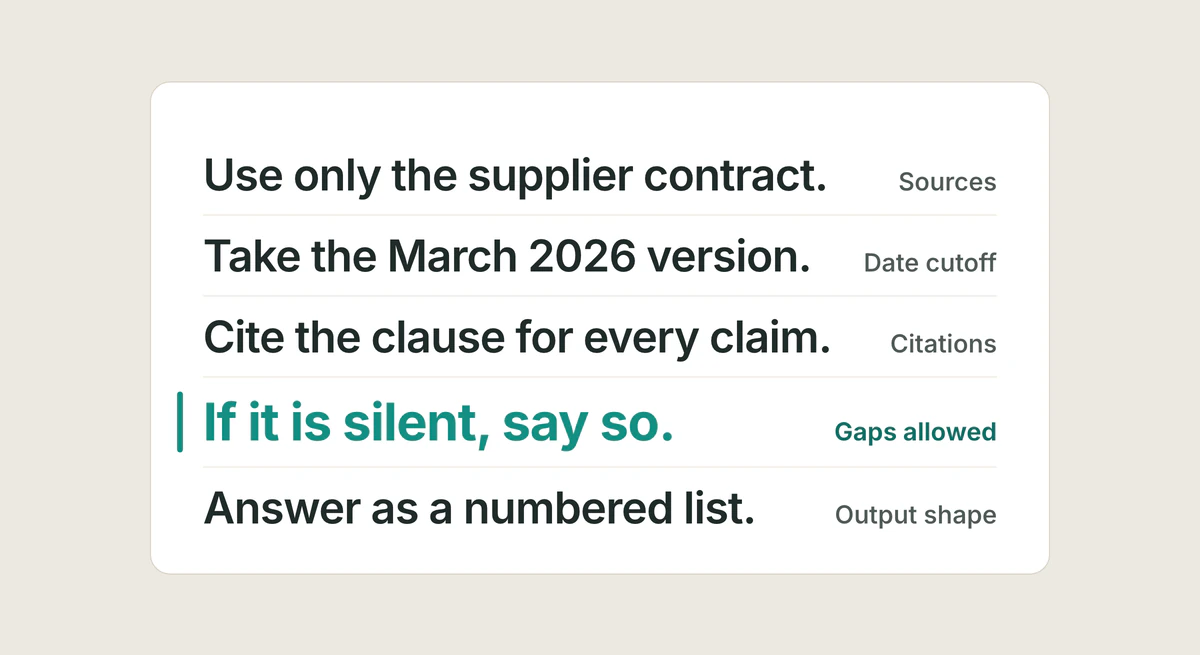
Prompts that force citations
Five prompt elements that force AI to show its evidence: scope the sources, demand a citation per claim, allow honest gaps, set a cutoff, fix the output shape. With a template you can copy today.
Read the article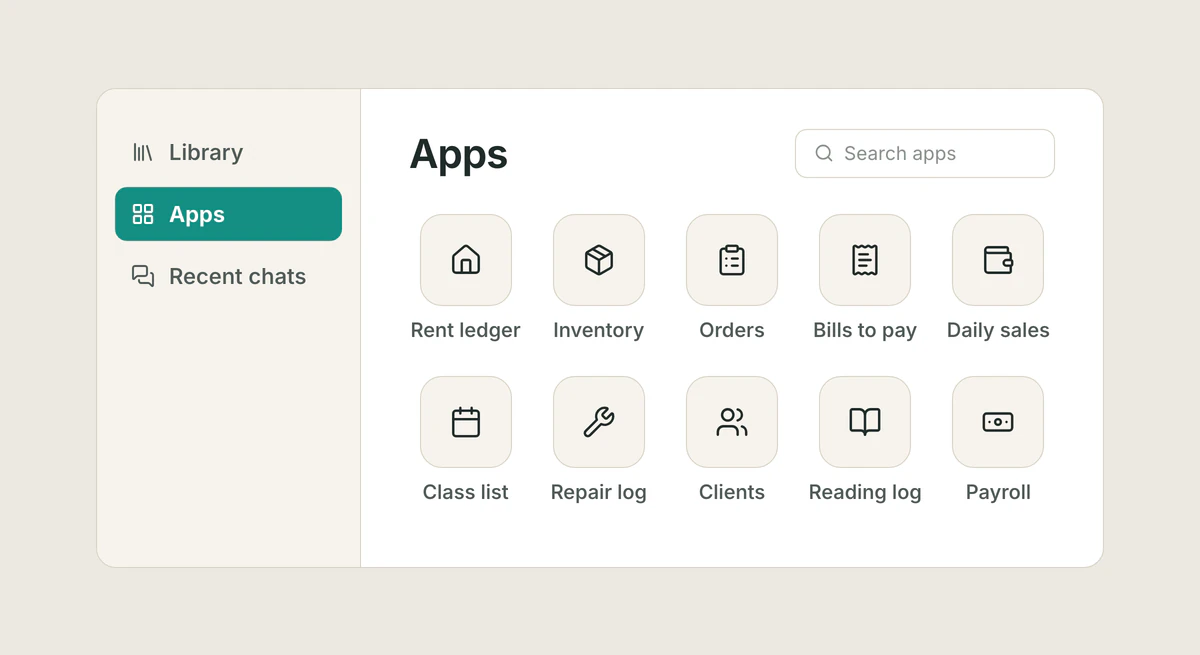
Apps home screen
Apps now has its own sidebar entry and a home screen of app tiles on the web and on the phone. What the launcher shows, how Recent and search work, the Open app card after Tatsu builds an app, and remove or delete from the launcher.
Read the article